Project Overview:
The overall goal was to streamline and simplify the user experience, maximize the number of enrollments, and acquire quality members with quality information to allow effective marketing, communication, and analytics.
My Role:
For this project, I authored the competitive analysis, the user flows, and wireframes. I interviewed business SMEs and collected the enrollment analytics to identify current user flows, the data sets, and drop off points.
The Challenge:
The client was not meeting their monthly user enrollment goals. We were tasked with identifying new opportunities to increase enrollment during and post reservations. This had to be done without disrupting their current successful ways of attracting new users to their loyalty program.
The Approach:
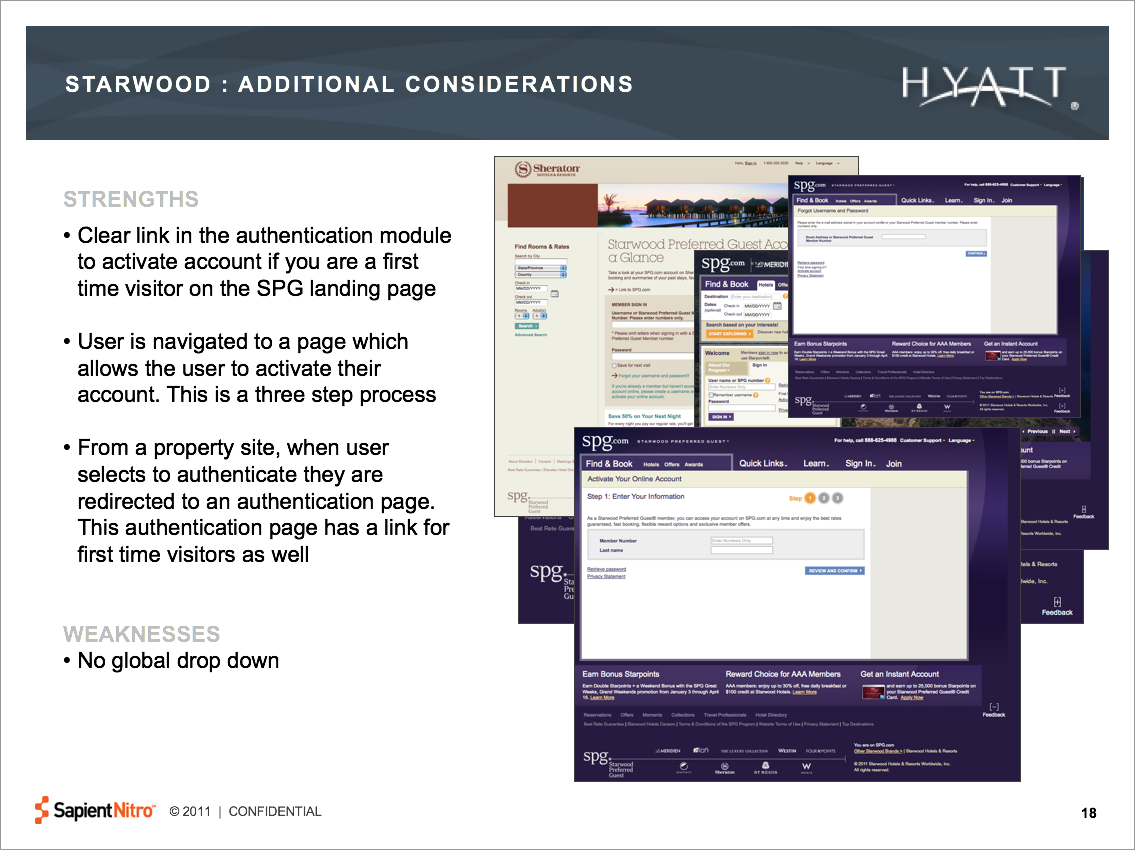
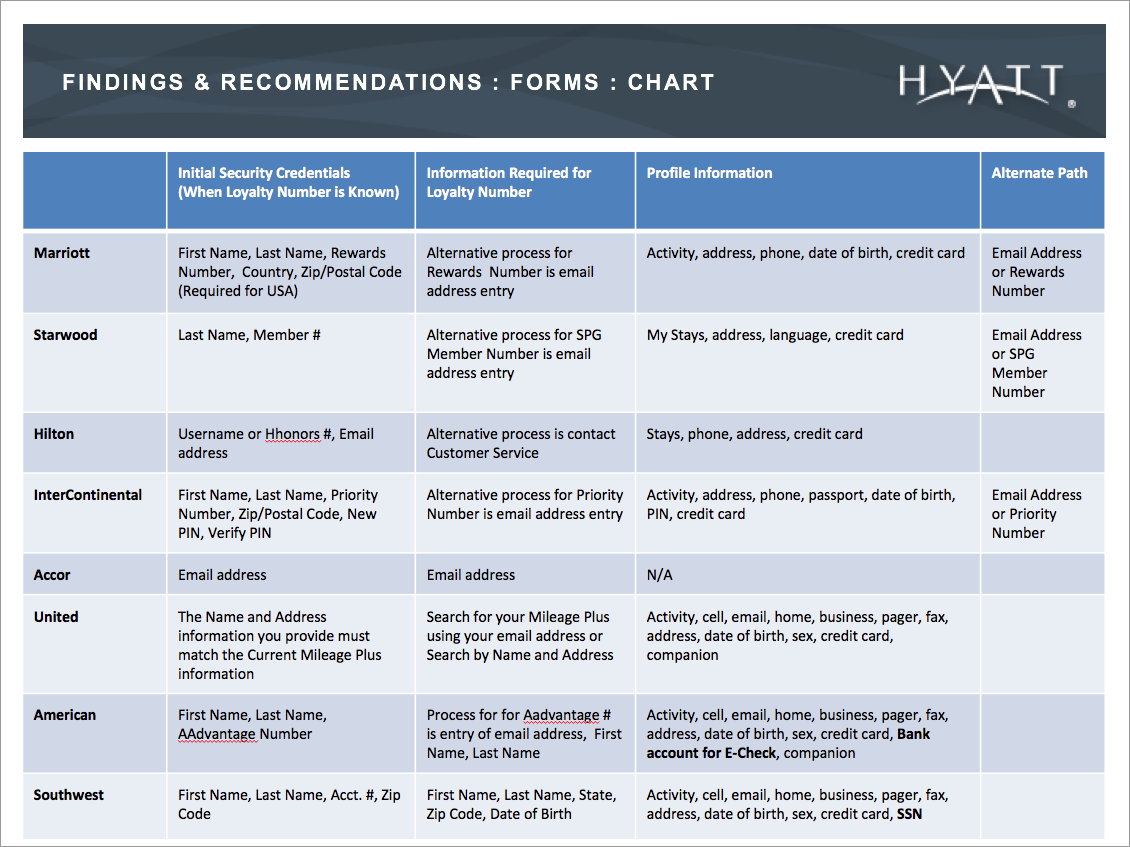
After interviewing the business SMEs, I conducted a competitive analysis. The purpose of this competitive analysis is to consider best practices that can be applied to the experiences of creating, activating, or authenticating member accounts. We looked at several competitors in the hospitality industry and two other travel sites to compare loyalty account experiences and identify trends and best practices.
Design:
After the analysis, I explored multiple solutions. Because the goal was to increase enrollment, I identified different data points that were not critical for the user enrollment. I also made the recommendation to remove them completely or acquire them post reservation.
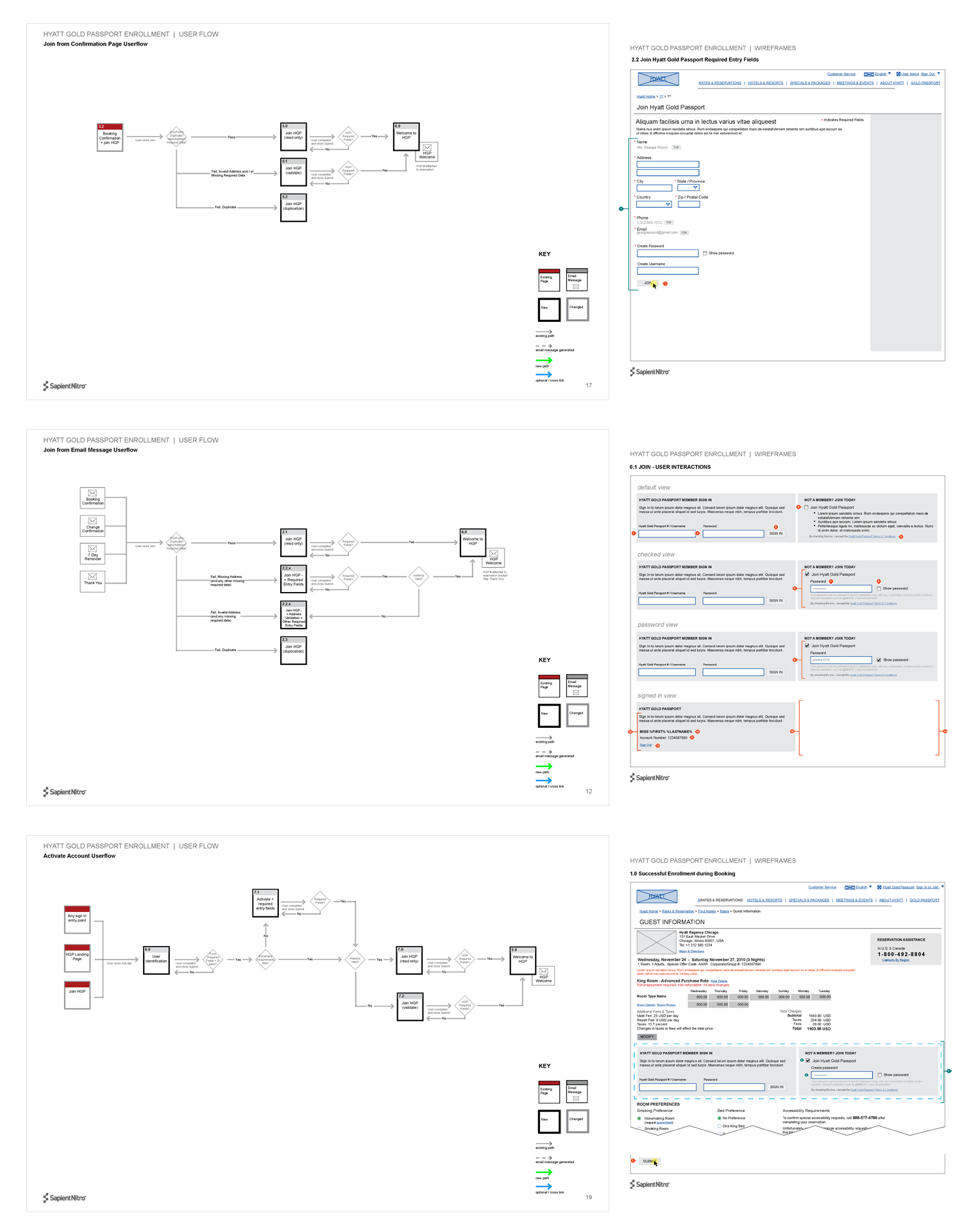
The client had a difficult time visualizing the user state in the user flow when viewing the data flows. Therefore, for this exercise, I included smaller scaled wireframes within the technical data flows to provide a visual of the state of the user.
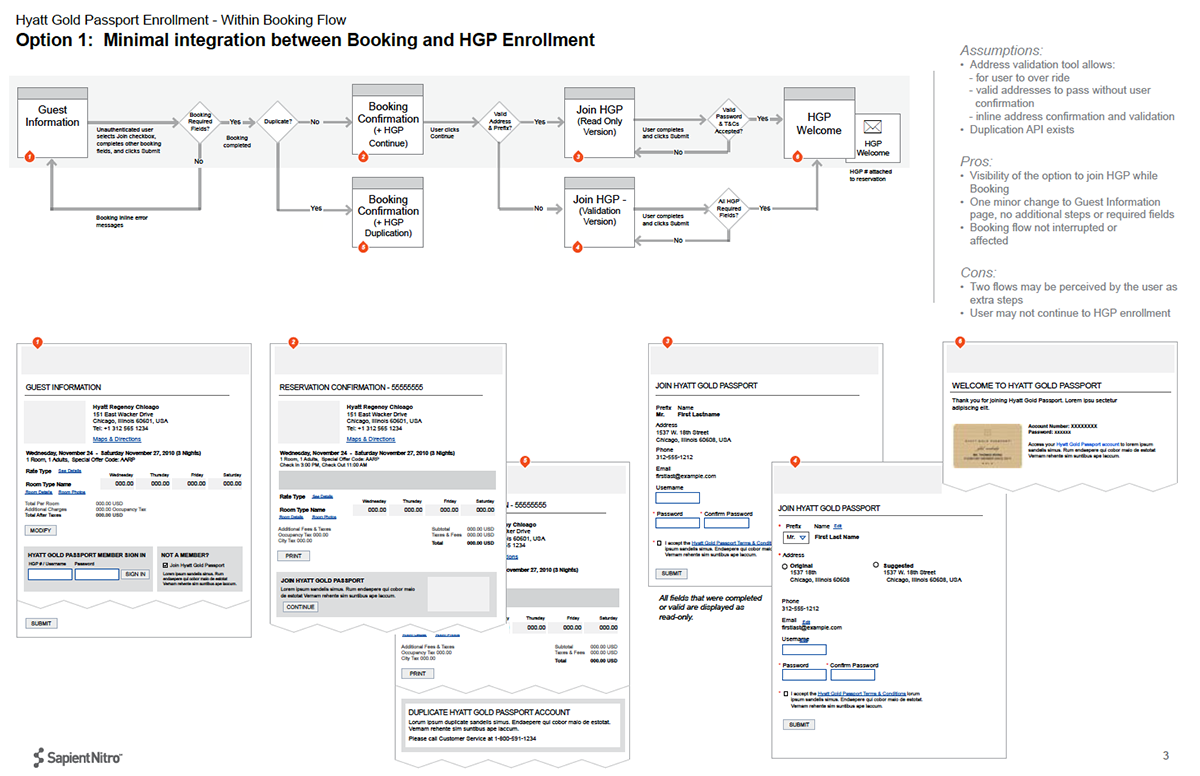
Once our client approved the data sets and flows, I started in-depth design of the experience of the different user entry points:
- Booking confirmation page with enrollment module displaying loyalty account information
- User successfully booked a reservation but did not successfully enroll into loyalty program
- System generates a module for all users that did not enroll during booking
- User successfully populated enrollment fields during or post booking and system identified user as already enrolled in the loyalty program
- User receives email with module inviting them to join loyalty program
- User clicks on “join” from an email and lands on page requesting further required enrollment information
- User submits to enroll from email and system identifies user as a duplicate